Go to Another Room
Explore new spaces and meet more friends.
Open Room List
Click the 3 doors icon located in your interface toolbar to open the room directory.

Browse Rooms
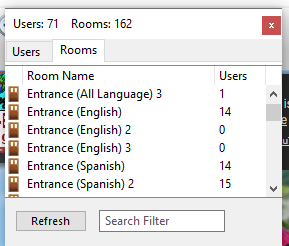
Find the room you want to go to by scrolling up or down through the list of available rooms.
Enter the Room
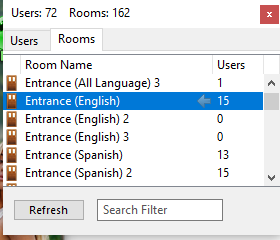
Select the room you want and double click on it to instantly travel there.
Happy Exploring! The world of VisualChats is yours to discover.